

Collect every commission you’re owed
Reconcile carrier statements, catch what wasn’t paid, and pay your team without spreadsheets. The whole commission cycle, end to end, in one place.
- HIPAA
- SOC 2 Type II
Any carrierAny stateNew businessRenewals
- Carrier file uploaded
- Client unpaid this month
- Sale by your team
- Pay cycle closed
Reconciling commissions by hand costs you time and money
Every carrier sends its report in its own format. Member IDs don’t match, chargebacks show up unannounced, and payments that never arrived go unnoticed. Meanwhile, your agents are waiting for their statements.
Did we get paid for every policy this month?
- Excel statements
- Endless spreadsheets
- Member IDs that don’t match
- Surprise chargebacks
- Overrides done by hand
- Payments that never came
- Claims with no follow-up
From the carrier statement to your agent’s payout, without spreadsheets
Apizeal already knows your book, your agents, and your rates. So every month of commissions follows the same path, with no manual work between steps.
01 · Report
Apizeal builds what you should collect from your book
- Policies
- Carriers
- Statements
- Rates
- Agents
- Overrides
- Chargebacks
02 · Reconciliation
You upload the statement and every payment gets matched
03 · Review
Anything that doesn’t match is flagged for you
04 · Payout
Your agents get their statements
Let Apizeal do the matching for you
Upload statements exactly as the carrier sends them. Apizeal matches every line to the right policy and agent, and leaves you only the exceptions.
Upload carrier files
Upload one or more Excel statements per report, from any carrier or broker.
Automatic matching
Each payment is identified by Member ID, client name, or agent NPN, and gets the right rate.
No-surprise chargebacks
Negative amounts are recorded as chargebacks and deducted from the right agent.
Real-time progress
See how many lines are reconciled while you work on something else, and get an email when it’s done.
Recover the money you’re leaving on the table
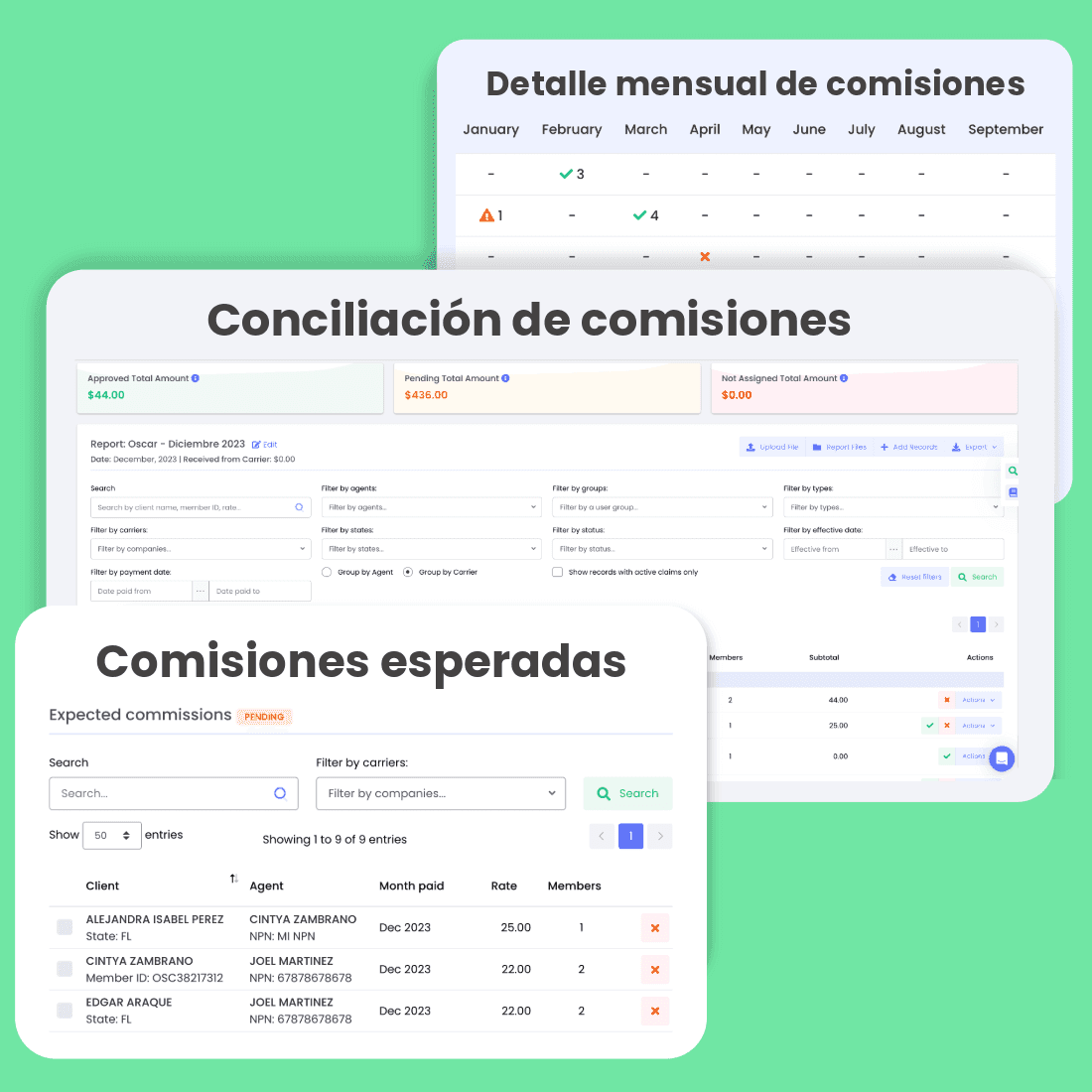
Because Apizeal knows what you should collect, it also knows what didn’t arrive. Gaps stop hiding in a spreadsheet and become claims you can follow up on.
Expected commissions
Every report starts from your book, so you instantly see which policies weren’t paid.
Gaps in plain sight
Payments with a different amount or member count are flagged for review.
Claims per line
Log the reason: wrong amount, wrong member count, client not paid, or missing months.
Follow up until you’re paid
Filter active claims, add private notes, and mark them resolved when the payment arrives.
A complete module to manage commissions
Reports & reconciliation
Every month of every carrier, under control.
- Reports by month, carrier, and stateOpen or closed, paid or not
- Reconciliation screenExpected and received side by side
- Agent assignmentWith a rate or override on the spot
- Commission finderBy client or Member ID
Fewer hours in spreadsheets. More control over your revenue
Contact SalesLess manual work. Fewer errors in every payout
When the carrier, the agency, and every agent work from the same numbers, commissions stop being a source of doubts and internal disputes.
- Carrier
- Apizeal
- Your agency
- Your agents
Time saved
Apizeal does the line-by-line matching; your team only reviews the exceptions.
Fewer manual errors
Rates apply automatically, with no broken formulas or copy and paste.
Protected revenue
Every commission that didn’t arrive is flagged so you can claim it.
Trust within your team
Your agents get a clear statement and can check their own reports.
Your entire commission cycle, in one place
It’s not about calculating faster. It’s about not calculating by hand
When it’s done by hand
- Each carrier’s Excel
- Spreadsheets
- Calculator
- Statements by email
- Claim notes
- Separate payroll
With Apizeal
- Reconciliation
- Claims
- Payouts
- Reports
Commissions under control
Everyone sees what belongs to them
Your agency’s financial information is sensitive. Apizeal protects it with role-based permissions and the same security as the rest of the platform.
Commission roles
Admins, managers, and commission processors manage reports and payouts.
Agent view
Each agent checks their own reports, without seeing anyone else’s.
History on every policy
A policy’s commissions are recorded right alongside it.
Aligned controls
The platform follows controls aligned with SOC 2 Type II and HIPAA.
Frequently asked questions
Can I upload statements from any carrier?
What happens to lines that don’t match?
How do I catch commissions I wasn’t paid?
What payout structures can I set up?
How do my agents get paid?
Can my agents see their commissions?
Does it help with my agents’ 1099 forms?
 The Operating Center for Insurance Agencies and Agents
Stop chasing commissions in spreadsheets
Reconcile, claim, and pay from the same platform where you already manage your clients and policies.
Controls aligned with SOC 2 Type II and HIPAA