

Quote ACA plans without leaving the client record
Search subsidized plans using the data you already have on your client, filter by their doctor and prescriptions, compare side by side, and save the chosen plan to their policy.
- HIPAA
- SOC 2 Type II
MarketplaceOff-exchangeDentalRenewalsEnglish & Spanish
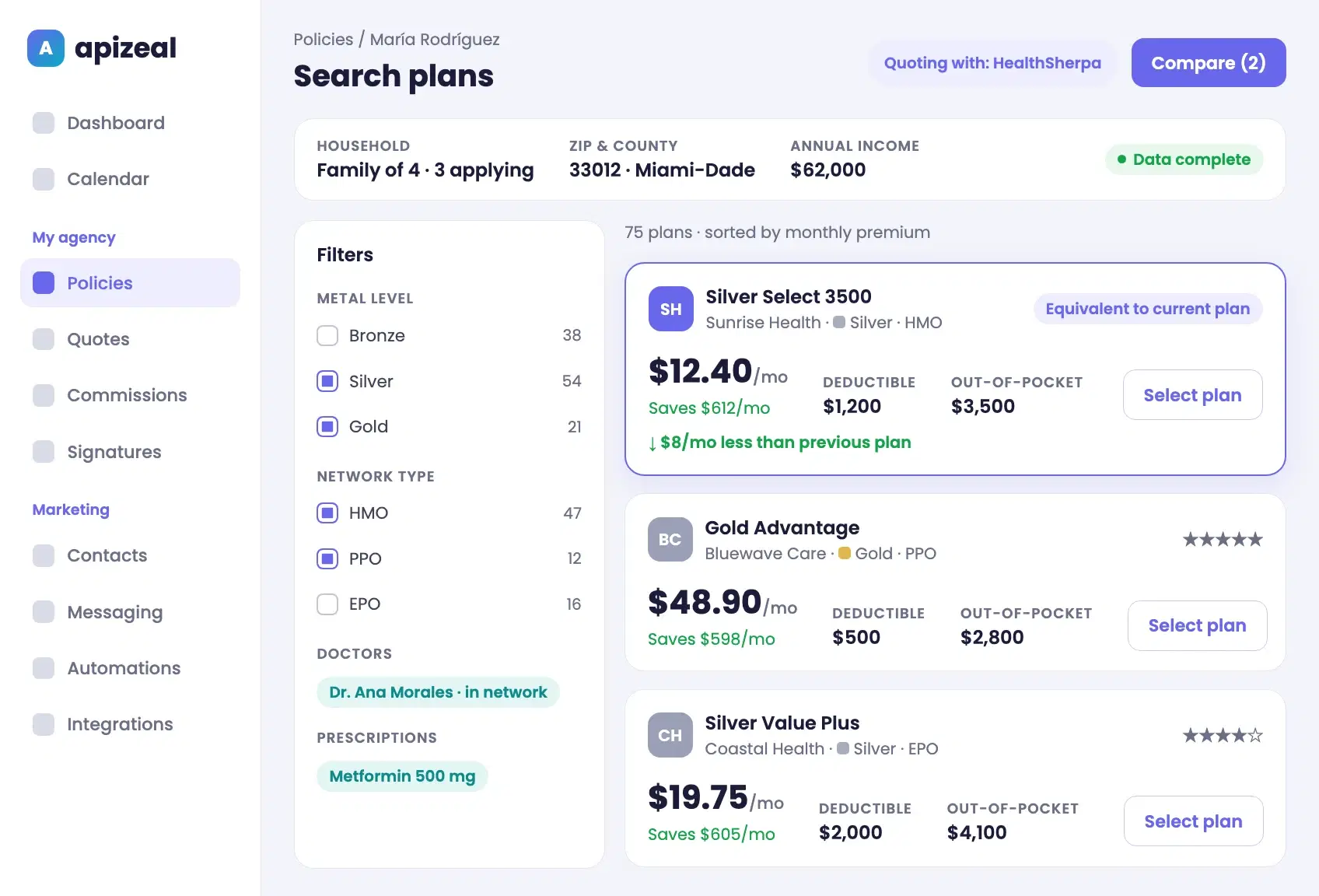
- Family of 4 · annual income
- Their primary care doctor
- Last year’s plan
- Plan selected
Quoting shouldn’t take five open tabs
Client data in one place, the plan finder in another, the doctor directory in another, and a spreadsheet to compare. Every tab switch is an error waiting to happen.
Does this plan cover their doctor and their prescription?
- Plan finder
- Subsidy calculator
- Doctor directory
- Drug list
- Comparison sheet
- Client data elsewhere
- Last year’s plan
From household information to the chosen plan, on one screen
- Household
- ZIP & county
- Income
- Doctors
- Prescriptions
- Carriers
01 · Household
The client’s data is already on their policy
02 · Search
Subsidized plans, filtered by what matters
03 · Compare
Up to 5 plans side by side
04 · Choose
The chosen plan is saved to the policy
No retyping data or copying between screens.
Contact SalesFind the right plan in less time
The filters your client actually asks about, with the number of plans left on each option, so you get quickly to the two or three options worth explaining.
Filters that matter
Carrier, metal level, HMO, PPO, EPO, or POS network, HSA, maximum premium and deductible.
Doctors & prescriptions
Find your client’s doctor near their ZIP code and their medications by name.
Sort by what it costs
By monthly premium, deductible, maximum out-of-pocket, or plan rating.
Every plan detail
Copays, deductibles, network, summary of benefits, provider directory, and covered drug list.
Explain the differences clearly
Put up to five plans side by side and show your client what changes in premium, deductible, network, and benefits before they decide.
Up to 5 plans side by side
Premium, deductible, metal level, network, rating, dental, and benefits in one table.
Savings in plain sight
Each plan shows the premium after tax credit and how much your client saves each month.
On and off the Marketplace
Subsidized plans, off-exchange plans, and stand-alone dental, each clearly labeled.
Federal poverty guidelines
Check the table for your client’s state and year without leaving the quote.
Renew with last year’s plan as the starting point
During enrollment season every minute counts. Start each renewal knowing what your client had and which plan matches it for the new year.
Last year’s plan
Plan, effective date, and subsidized premium from the previous policy, one click away.
Matching plan
Apizeal finds the plan that replaces the current one and shows it first in the list.
Premium difference
Each plan shows how much more or less your client pays per month versus their previous plan.
Details confirmed by the client
Send them a link to confirm their details and report changes before you quote.
A quoter built for ACA agents
Quote request
All the household information from the start.
- 4-step wizardPolicy, policyholder, family, and address
- Details for each memberAge, tobacco, pregnancy, and whether they apply
- Income & household sizeWith help for every field
- Check before quotingShows what’s missing so you fix it right there
Fewer tabs. More time for your client
Contact SalesFaster quotes. Fewer errors at enrollment
When the quote starts from the record and ends on the policy, there’s nothing to retype and nothing to copy wrong.
- Client
- Apizeal
- Your agent
- Policy
Time saved
Household data, search, comparison, and choice on one screen.
Fewer errors
Apizeal checks nothing is missing before quoting and saves the plan exactly as chosen.
Better recommendations
Doctors, prescriptions, and real cost in view so you can recommend with confidence.
Faster renewals
The previous plan and its match, ready for enrollment season.
The whole quote, in one place
It’s not about seeing more plans. It’s about finding the right one faster
With scattered tabs
- Plan finder
- Doctor directory
- Calculator
- Comparison sheet
- Client notes
With Apizeal
- Household
- Plans
- Comparison
- Policy
Quoted and saved
Official information, with you always in control
The quoter helps you decide; enrollment stays in your hands.
Up-to-date plan data
Plans, premiums, and benefits from HealthSherpa or public CMS data.
Nothing is sent without you
Choosing a plan saves it to the policy; nothing is submitted to the Marketplace.
Compliance notice
Every plan detail includes the notice required by Marketplace broker rules.
In English & Spanish
The whole quoting experience, in your team’s language.
Frequently asked questions
Where do the plans and premiums come from?
Can I filter by my client’s doctor and prescriptions?
How many plans can I compare?
Does it include off-exchange and dental plans?
How does it help with renewals?
Does the quoter enroll the client?
 The Operating Center for Insurance Agencies and Agents
Quote faster and recommend with confidence
Household data, plans, and policies on the same platform where you manage your clients.
Controls aligned with SOC 2 Type II and HIPAA