Apizeal
Apizeal
E-signature

Client signatures in minutes, not days

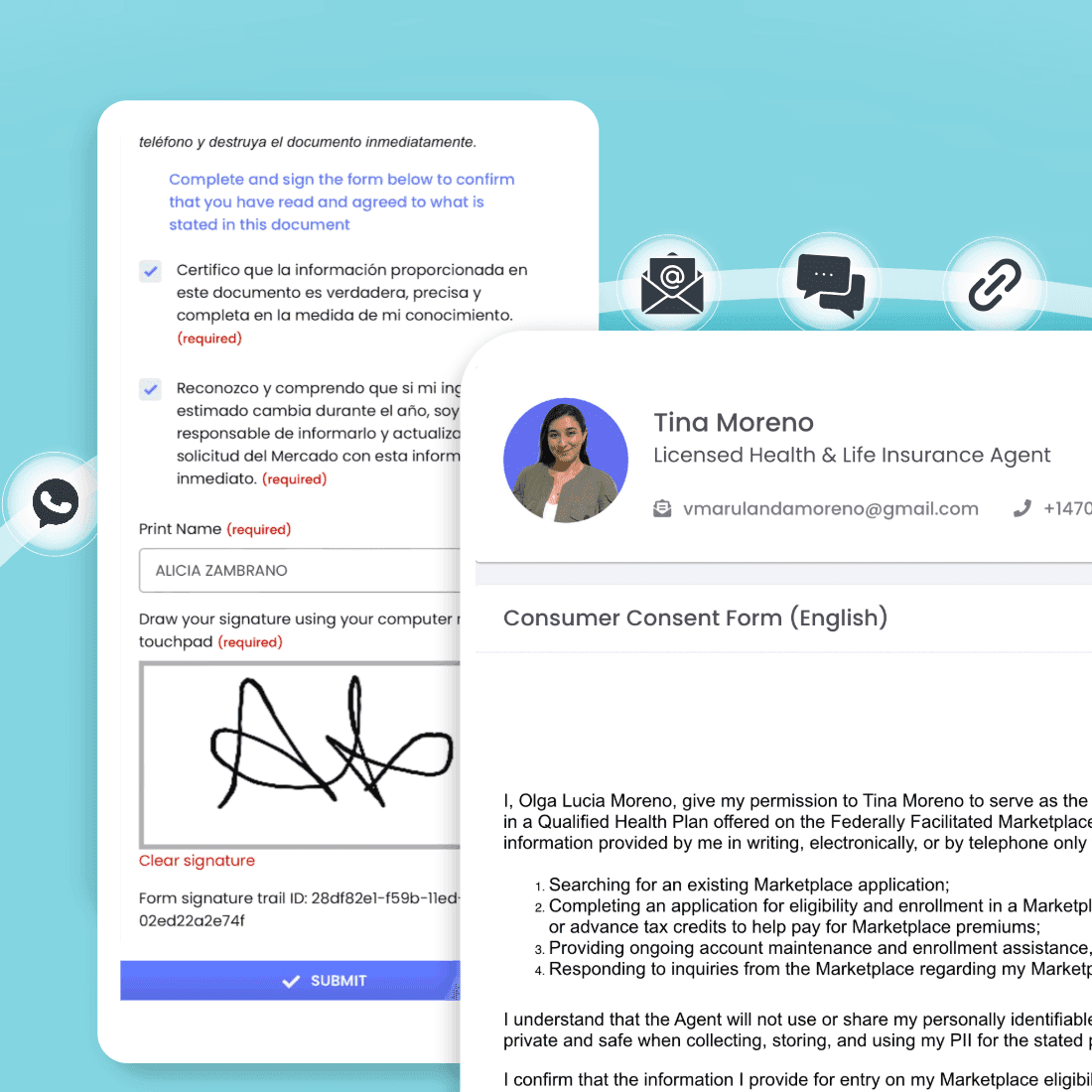
Send consent letters and any document for signature by email, SMS, or link. Your client signs from their phone, and the signed document is saved to their record automatically.

  • HIPAA
  • SOC 2 Type II

CMS consentMedicarePrivate plansIncome lettersCancellationsand more

Apizeal e-signature form on a phone
  • Consent letter
  • Unsigned for 2 days
  • From their phone

Getting a signature shouldn’t stall a sale

Your client doesn’t print anything. You don’t chase anyone

With paper and email

  • Print
  • Scan
  • PDF by email
  • "Did you sign it?"
  • Fill in by hand
  • Loose files

With Apizeal

  • Send
  • Sign
  • Save

Signed, paper-free

Documents that fill themselves

Write the document once. Apizeal fills it in every time

Templates pull data from the client, their policy, and the agent, so every document goes out ready to sign, with no copy and paste.

  • Your client

    • Name
    • Date of birth
    • Address
    • Income
    • Family
  • Their policy & your agent

    • Carrier
    • Plan
    • Marketplace ID
    • Premium & subsidy
    • Agent & NPN

Your template

In English or Spanish

Practically any document that needs your client’s confirmation.

What you send

  • Consent
  • Medicare
  • Private
  • Income
  • Cancellations
From sending to signing

Every request arrives on the channel your client uses

Send from the client’s record or their policy, to them or any family member, by email, SMS, or a link you share.

  • The client signs→ You’re notified instantly
  • The deadline passes→ The request expires on its own
  • No longer needed→ You void it and it stays on record
Automatic follow-up

Signatures come in on their own

Reminders every 1, 2, 3, or 7 days until your client signs, in their language.

Signature requestsPending
  • María Rodríguez

    ACA consent · SMS

    Consent
  • Eduardo Múnich

    Medicare form · Email

    Medicare
  • Carla Beltrán

    Income letter · Reminder

    Reminder
  • José Almeida

    Cancellation letter · Link

    Cancellation
  • Lorena Paz

    Private plan · Email

    Private plan

Request → message to the client

Consent letter by SMS

Hi María, your agent Carlos sent you your consent letter. Sign it here from your phone.

ResultSigned in minutes

Request → message to the client

Medicare form by email

Hi Eduardo, you have a Medicare document waiting for your signature. Review the attachments and sign when ready.

ResultAttachments reviewed

Request → message to the client

Automatic reminder

Hi Carla, just a reminder that your income letter is still waiting for your signature.

ResultNo chasing
Your client’s experience

Signing is as easy as opening a message

No accounts, no downloads, no printing. Your client signs from a computer, phone, or tablet, in English or Spanish.

  1. Opens their linkIt arrives by email or SMS and is unique to them.
  2. Reviews and completesReads the attachments, fills in their fields, and checks the statements.
  3. Signs with a fingerTaps each signature and initial; a guide shows what’s left.
  4. Downloads a copyAnd can turn on their client portal access.
Evidence for every signature

Every signature, backed up

If a carrier or a client asks, you have proof: who signed, when, from where, and through which channel the request arrived.

  • A unique link per channel

    Every send by email, SMS, or link has its own access, and the record shows which channel delivered it and which one opened it.

  • History of every action

    Sent, opened, signed, expired, or voided, with date, IP, location, and device.

  • Signed PDF with its history

    The signed document carries its identifier and can include the full history.

  • Notice & statements

    Your client accepts the e-signature notice and the statements you define.

Built for your agency

You control what gets signed and who sends it

Forms tailored to your operation, with the rules your agency needs.

  • Form editor

    Start from scratch or a template, with signatures and initials wherever you need them.

    • Variables
    • Signatures
    • Initials
  • Custom fields

    Text, date, number, or options, in English and Spanish; filled in by the agent or the client.

    • Required
    • Bilingual
  • Team permissions

    Decide which forms each agent can send, and only to their own clients.

    • Per form
  • Connected to your operation

    The signed document is saved to the record and can trigger your Zapier workflows.

    • Record
    • Zapier

Frequently asked questions

What documents can I send for signature?
CMS consent letters for ACA, Medicare forms, private plans, income letters, cancellation letters, and practically any document that needs your client’s confirmation. Start from a template or create your own.
Does my client need an account or a download?
No. They get a link by email or SMS, open it on their phone or computer, and sign with a finger or mouse. When they finish, they can download a copy.
How do I know the right person signed?
Every send creates a unique link for the channel it went through: your client’s email or phone. The history records which channel delivered it, when it was opened and signed, the IP, the location, and the device.
What if my client doesn’t sign?
You can schedule automatic reminders by email or SMS every 1, 2, 3, or 7 days, up to five times, and set when the request expires. When they sign, you’re notified.
Where does the signed document go?
It’s saved automatically to the client’s record and also shows on their policy, along with the signature history. You can download or print it anytime.
Does it work in Spanish?
Yes. Templates, email and SMS messages, the signing page, and the signed PDF follow your client’s preferred language, English or Spanish.
The Operating Center for Insurance Agencies and Agents

Stop chasing signatures

Send, remind, and store every document from the same platform where you manage your clients.

Controls aligned with SOC 2 Type II and HIPAA